Best Cost Per Use & Cost Per Wear Apps for iPhone
By Yapeng Li, developer of Worth It · Published October 19, 2026
Disclosure: I make Worth It, one of the ten apps below, and I’ve listed what it doesn’t do as plainly as what it does.
What is the best cost per use app for iPhone?
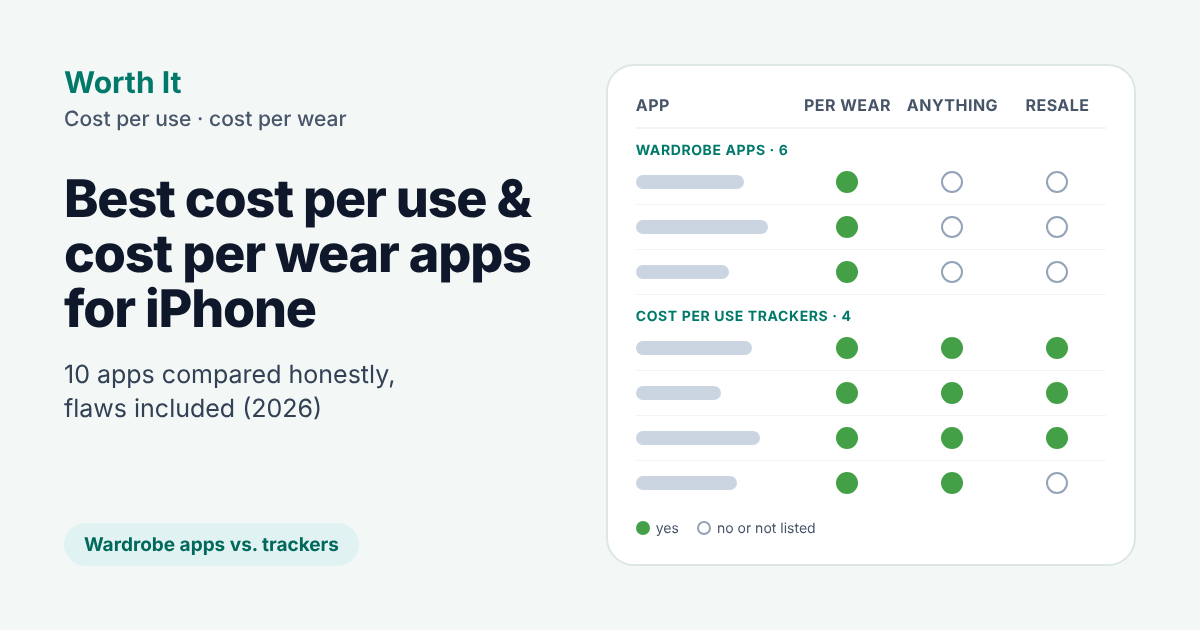
For clothes, the cost per wear apps with the most US App Store ratings among those reviewed here are Alta and Whering (both free) and Stylebook ($4.99, no subscription). To track anything else, use a cost per use tracker such as iAsset, Keeps, Coday, or Worth It.
- Clothes, with outfit planning: a wardrobe app. Alta and Whering have the most ratings, Stylebook has no subscription, and Indyx adds human stylists. All six wardrobe apps below show cost per wear.
- Anything, not just clothes: a cost per use tracker. Coday is free with unlimited items and reminds you before renewals and free trials end, Keeps imports Amazon orders and App Store subscriptions and can log uses automatically, iAsset handles resale and cost per day, and Worth It (mine) is the only one that logs a use from Apple Watch.
The two groups are very different in size. The wardrobe apps have roughly 1,000 to 16,000 US App Store ratings each, while the cost per use trackers here have far fewer. Ratings are not download counts, a quality ranking, or proof of daily use; they’re only a rough indication of how much public feedback is available.
If you can’t decide, try two free versions for a week and keep the one you actually opened. If you need outfit planning, start with a wardrobe app; if you mainly want to tap +1 on purchases you already own, look at the general-purpose trackers.
At a glance
Wardrobe apps with cost per wear (US App Store, October 2026)
| App | Best for | Price (US) |
|---|---|---|
| Alta (~16k ratings) | A free AI closet | Free; no in-app purchases listed |
| Whering (~12k) | Outfit history and wear rate | Free; credits, a $4.99 Outfit Maker, supporter tiers |
| Stylebook (~8.8k) | No subscription | $4.99 once, no in-app purchases listed |
| Acloset (~5.4k) | iPhone, iPad, and Mac | Free; plans from $3.99/mo |
| Indyx (~1.6k) | Human stylists | Free; Insider $12.99/mo or $74.99/yr |
| Cloey (~1.2k) | Logging streaks, closet value | Free; Pro from $3.99/week or $44.99/yr |
Cost per use trackers for anything (US App Store, October 2026)
| App | Best for | Price (US) |
|---|---|---|
| iAsset (~70 ratings) | Cost per day, resale, collectibles | Free; Premium $2.99–$39.99 |
| Keeps (few ratings) | Importing what you already own | Free for 30 items; Keeps Pro $1.99 once |
| Coday (2 ratings) | Subscriptions, consumables, reminders | Free with unlimited items; Premium $2.99/mo, $9.99/yr, or $19.99 once |
| Worth It (2 ratings) | Logging uses of anything, incl. subscriptions | Free for 5 items; Pro $0.99/mo, $5.99/yr, or $9.99 once |
How I compared them
I selected six widely rated wardrobe apps that list cost per wear and four general-purpose tools that mention cost per use. This isn’t every app in either category. I read each app’s US App Store page on October 19, 2026: description, compatibility, ratings, release notes, and in-app purchase prices. I didn’t use the other nine apps day to day, so where I say a feature is “not in its listing”, the app may still have it. For Worth It, I checked against the app itself. Prices change, so check the App Store page before you buy.
The app names in the tables link directly to their US App Store listings, where you can check current prices, ratings, and compatibility. Headings below link to developers’ websites where available.
What a cost per use app needs to do
The math is simple: what you paid, divided by how many times you used it (here’s a longer explanation of what cost per use means). A spreadsheet can do that. An app is only worth it if it makes these easier:
- Logging a use quickly. If recording a wear or a workout takes more than a couple of seconds, it’s easy to stop bothering.
- Counting the real cost. That can mean repairs and dry cleaning, money you get back when you sell something, or a subscription that keeps billing.
- Fitting what you own. If it’s all clothes, a wardrobe app also plans outfits. If it’s a laptop, a bike, and a gym membership, you need an app that treats them the same way.
Say a $300 jacket needs $40 of dry cleaning and you wear it 50 times: that’s $6.80 a wear. Sell it afterwards for $100 and the real figure drops to $4.80 a wear. An app that ignores both tells you $6.00.
Best cost per wear apps (wardrobe apps)
None of these list resale or upkeep in their cost per wear, and none of them track gadgets or memberships. For clothes, though, they do far more than any app in the next section: digital closets, outfit planning, and style stats.
Alta
Alta Daily is an AI-powered digital closet, and it has the most US App Store ratings among the ten apps compared here. Its listing promises data on your most and least worn pieces and your cost per wear, but doesn’t say how wears are logged. It runs on iPhone, iPad, and Mac (iOS 16.4+), and says its features are currently free.
Whering
Whering is a digital closet and outfit planner. Its stats include ones it calls Cost-Per-Wear, Wear Rate, and Closet Longevity, and it keeps a history of the outfits you log. The app is free; in-app purchases are credits, a $4.99 Outfit Maker add-on, and optional supporter tiers. It’s built for iPhone (iOS 15.5+).
Stylebook
Stylebook has been on the App Store since 2009. You log what you wore on a calendar, with an optional nightly reminder, and it tracks cost per wear for your whole wardrobe, plus style stats. It’s the only app here with a one-time price and nothing else to buy: $4.99, iPhone and iPad (iOS 17+).
Acloset
Acloset is an AI fashion assistant: you track what you wear to see your most-loved items and cost per wear, and it records purchase dates and prices. It’s free, with Basic, Premium, and Expert plans (from $3.99 a month or $27.99 a year). It runs on iPhone, iPad, and Mac (iOS 15.1+).
Indyx
Indyx pairs a wardrobe app with human styling. You log outfits on a calendar, and every logged wear feeds its analytics: you can sort your closet by number of wears or cost per wear. You can also book a stylist to put together outfits from your own clothes. The basics are free; the Insider plan ($12.99 a month or $74.99 a year) adds deeper insights. iPhone and iPad (iOS 15.6+).
Cloey
Cloey is new (released March 2026). You log outfits on a calendar with streaks, and its cost per wear analysis shows your best and worst investments, along with your most-worn colors and brands and the total value of your closet. Pro is a subscription, from $3.99 a week or $44.99 a year. iPhone only (iOS 16.4+).
Cost per use trackers for anything
These apps aren’t limited to clothes: a laptop or a bike works as well as a jacket. How they handle subscriptions differs, so check each one’s subscriptions line. All four are small and recent, so there are far fewer reviews to go on than for the wardrobe apps.
iAsset
- Logging: built around cost per day; its listing mentions cost per wear but doesn’t say how uses are logged
- Resale: yes, you log a selling price and it works out the net result
- Upkeep: not in its listing
- Subscriptions: not in its listing
- Runs on: iPhone and iPad (iOS 15.5+)
iAsset treats everything as an asset: a phone you use for three years costs very little per day. It covers gadgets, collectibles, and even gold or foreign currency, tracks depreciation, and has an AI scanner that logs an item from a photo. Of the general-purpose tools compared here, iAsset has the most US App Store ratings.
Keeps
- Logging: a one-tap Home Screen widget, Siri / Shortcuts, automations (for example when your headphones connect or a workout ends), or tell it roughly how often you use something
- Resale: yes, sold or retired items count what you got back
- Upkeep: not in its listing
- Subscriptions: yes, with billing periods, renewal dates, and renewal reminders; a subscription is judged by what it costs a day and a month, not per use
- Runs on: iPhone, iPad, and Mac (iOS 18+)
Keeps is new (released September 2026) and focuses on getting your things in quickly: it can import Amazon orders, receipt PDFs, spreadsheets, or a pasted product page. Import is part of Keeps Pro, a $1.99 one-time purchase; the free version holds 30 items. It can also import your App Store apps and subscriptions from Apple’s Data & Privacy download. Its Use Review shows things you haven’t used in 30 or 90 days. It leads with cost per day, and it has shipped frequent updates since launch.
Coday
- Logging: in the app; widgets show each item’s daily cost and progress
- Resale: yes, money from selling an item is deducted
- Upkeep: not in its listing
- Subscriptions: yes, with renewal and free trial reminders
- Runs on: iPhone and iPad (iOS 15+)
Coday tracks one-time purchases, per-use costs, subscriptions, and consumables like contact lenses, and shows cost per day, per use, or per unit. It can remind you before a renewal or a free trial ends. The free version has no item limit; Premium adds sync, more widgets, and removes ads. Its AI capture reads an order screenshot and logs the item for you; it needs sign-in, with one free capture a day. If subscriptions matter as much as cost per use, start here.
Worth It – Cost Per Use
- Logging: one tap +1 in the app, a Home Screen widget, Siri / Shortcuts, or Apple Watch, all on the free plan
- Resale: no
- Upkeep: yes, added to the item’s cost
- Subscriptions: yes, counted per billing period
- Runs on: iPhone and iPad (iOS 16+), Apple Watch
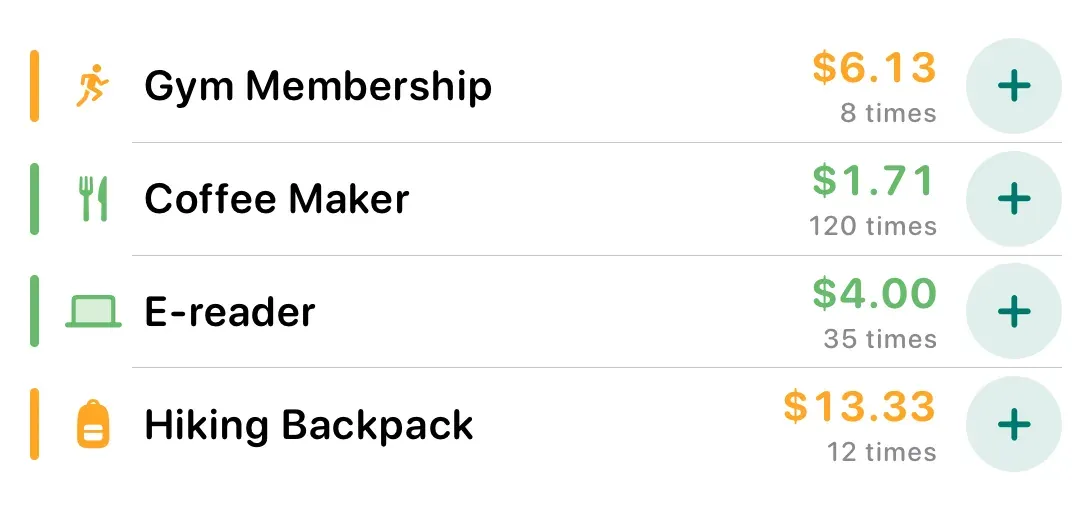
Worth It is built around the +1 button: add something, tap +1 each time you use it, and the cost per use updates. On iOS 17 and later you can tap +1 in the Home Screen widget without opening the app. It’s the only one of these ten whose App Store listing includes Apple Watch. If you already own something, enter how many times you’ve used it so far and start from there. Repairs, servicing, and dry cleaning are added to an item’s cost, and monthly or yearly subscriptions are counted per billing period, so a gym membership shows what each visit cost this month.
The free version covers 5 items, with one upkeep entry per item and a photo on one item. Pro adds unlimited items, photos on every item, full upkeep history, and iCloud sync. More on the Worth It app page.
Where it falls short today:
- No resale value. If you sell something, Worth It can’t subtract what you got back.
- No cost per day view, which iAsset, Coday, and Keeps all offer.
- No automatic import. Apart from restoring your own backup, every item is added by hand: no receipt scanning, no Amazon import, no AI capture.
- No renewal reminders for subscriptions.
- No outfit planning. For a wardrobe, the apps above do much more.
- 2 App Store ratings so far.
Or build a cost per use tracker in a spreadsheet
If you track a handful of things and like spreadsheets, you don’t need an app:
Cost per use = (Price + Upkeep − Resale value) ÷ Times usedMake one row per item with columns for price, upkeep, expected resale value, and a running count. The weak point is the count: you have to open the sheet each time, and that’s the step people skip.
You can probably skip apps altogether if:
- you know you won’t log uses, or
- you only want to decide before you buy. For that, the cost per use calculator or the cost per wear calculator is enough.
FAQ
What’s the best cost per wear app?
For clothes, a wardrobe app: Alta and Whering have the most US ratings, and Stylebook is a one-time $4.99. If you also track gadgets, memberships, or subscriptions, a cost per use tracker like Coday, Keeps, or Worth It covers clothes too.
Do Whering, Indyx, and Stylebook track cost per wear?
Yes. Stylebook automatically tracks cost per wear from the outfits you log on its calendar. Whering lists Cost-Per-Wear and Wear Rate in its wardrobe stats. Indyx counts each outfit you log and lets you sort your closet by cost per wear. Alta, Acloset, and Cloey show cost per wear too.
Is there a free cost per use app for iPhone?
Yes. Coday’s free version has no item limit, Keeps is free for 30 items, and Worth It is free for 5. For clothes, Alta says its features are currently free, Whering is free with optional credits and add-ons, and Acloset and Indyx have free tiers.
Which app subtracts resale value?
iAsset, Coday, and Keeps subtract what you get back when you sell something. Worth It can’t yet, and none of the six wardrobe apps mention it in their cost per wear.
Can I log a use from the Home Screen or Apple Watch?
Yes. Worth It and Keeps both let you log a use in one tap from a Home Screen widget (Worth It needs iOS 17 or later), and both work with Siri and Shortcuts. Only Worth It also logs from Apple Watch, on the free plan. Coday’s widgets show costs; its listing doesn’t mention logging a use from them. Of these ten, only Worth It’s App Store listing includes Apple Watch.
Is Worth It available on Android?
No. Worth It – Cost Per Use is only on the App Store, for iPhone, iPad, and Apple Watch. The “Worth It” app on Google Play is a different app from a different developer.